

Skip to content

Support

How to change the basemap and panel layout

You can customize the panel layout for every slide and choose a different basemap. Change your basemap CartoVista offers a variety of basemaps, available in the Layer control. Here’s how to select…

You can customize the panel layout for every slide and choose a different basemap.

Change your basemap

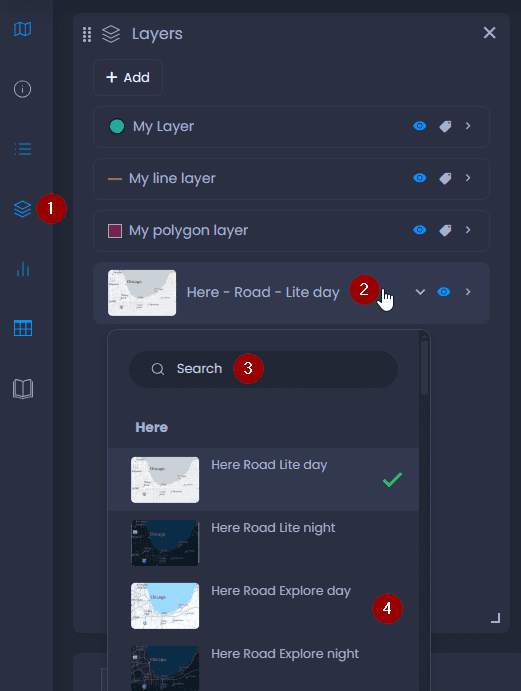
CartoVista offers a variety of basemaps, available in the Layer control. Here’s how to select another basemap:

  1. Open the Layer control
  2. Click on the current basemap to open the list of available basemaps
  3. You can use the Search bar to search for a specific basemap
  4. Then, select a basemap in the list:

Screenshot showing basemap selection in CartoVista when change the basemap and panel layout

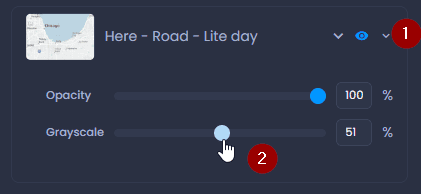
When you have selected your basemap, click on the down arrow to change the opacity and grayscale settings:
Screenshot showing basemap opacity and grayscale in CartoVista when change the basemap and panel layout

Change the panel layout

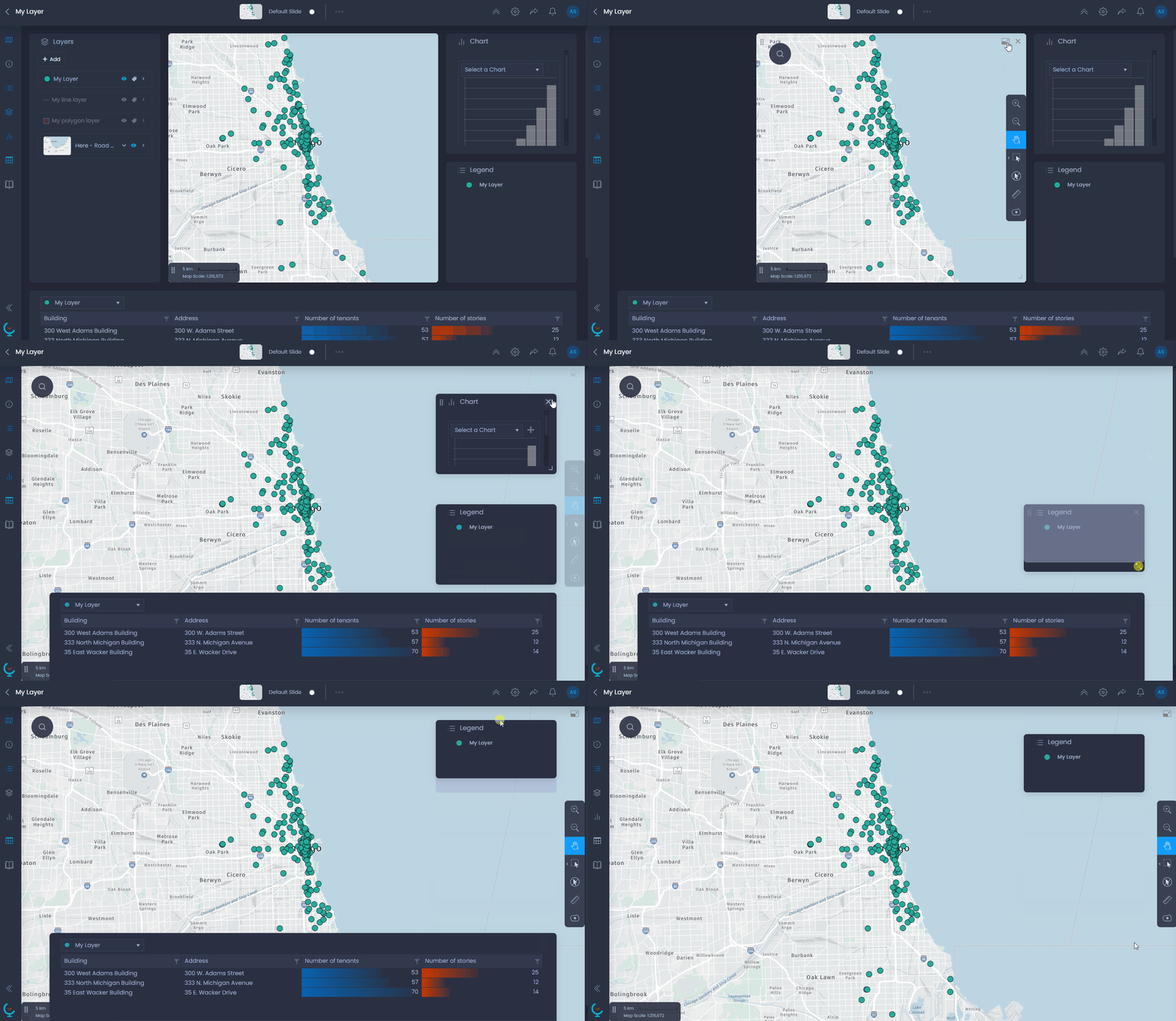
You can close panels with

Screenshot showing close panel in CartoVista when change the basemap and panel layout

, resize them with

Screenshot showing resize panel in CartoVista when change the basemap and panel layout

. You can open a new panel from the left bar.

You can also set the map to full-screen mode with

Screenshot showing map full screen in CartoVista when change the basemap and panel layout

. Panels will be floating windows you can drag to move:
Screenshot showing reorganize panel layout in CartoVista when change the basemap and panel layout

Save your basemap and layout in your slide

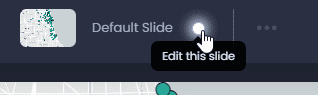
To save your customization, switch to the edit mode of your slide if you are not currently editing it:
Screenshot showing edit this slide in CartoVista when change the basemap and panel layout

Then, save your changes by clicking “Save” or the green dot in the top bar 

Screenshot showing slide save button in CartoVista when change the basemap and panel layout

:

Screenshot showing save slide in CartoVista when change the basemap and panel layout

By saving your slide, all other slide elements will be saved. See what other elements will be saved here.

Search documentation