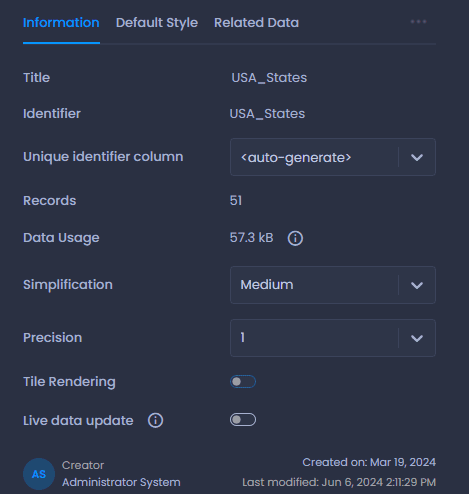



When working with large layers, you can use the Tile Rendering or Simplification options to improve the performance of your map.
What does the Tile Rendering do?
When a layer is tiled, CartoVista will only load the data visible in the current extent and will adjust the precision of the shapes dynamically based on the zoom. So, when zoomed out, the shapes of your points and polygons will be simplified, and as you zoom in, the rendering of the shapes will get more and more precise.
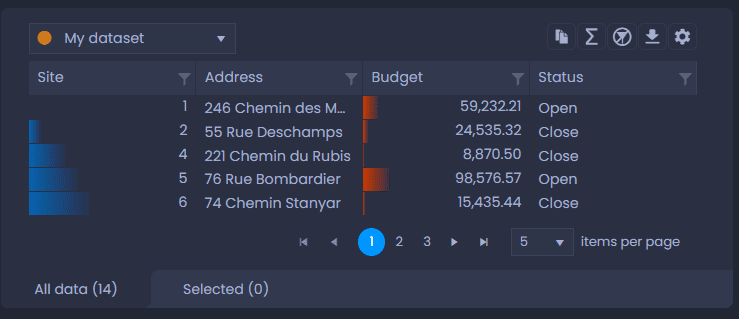
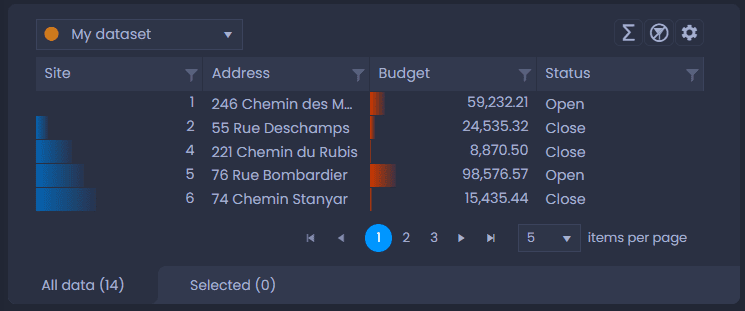
Please note that tile layers’s data cannot be exported via the data table panel. The Copy button and the Export as Excel buttons are disabled for tiled layers:
How to activate Tile Rendering?
-
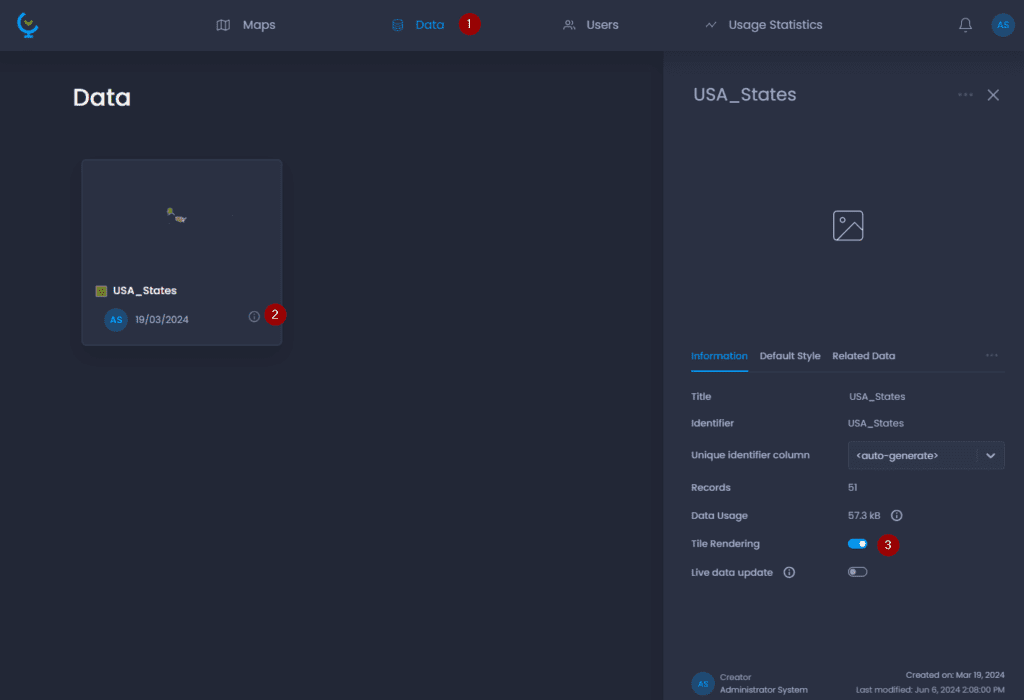
Navigate to the Data Gallery
-
Navigate to your layer and click on its name or

to open the detail panel
-
Check “Tile Rendering“.
Above 20,000 map features, the layer will be tiled by default. Above 75,000 map features, the layer will be tiled by default and the tiled rendering option will be locked to ensure map performance.
How can I improve the performance of layers that are not tiled?
When the tiled rendering is not activated, you can select a simplification mode and the precision:
- Simplification: This option is available for polygon and polyline layers only. The lower the simplification, the more nodes from the original feature will be removed. Removing nodes makes the layer smaller, loads faster, and improves your map’s performance.
- Precision: The number of decimals for coordinates. All maps are in Spherical Mercator, meaning that the unit of coordinates is metres: 0 decimals means metre precision, 1 decimal means decimetre precision, 2 decimals means centimetre precision, etc.