



CartoVista allows users to organize their maps and datasets with the help of folders in their tenant.
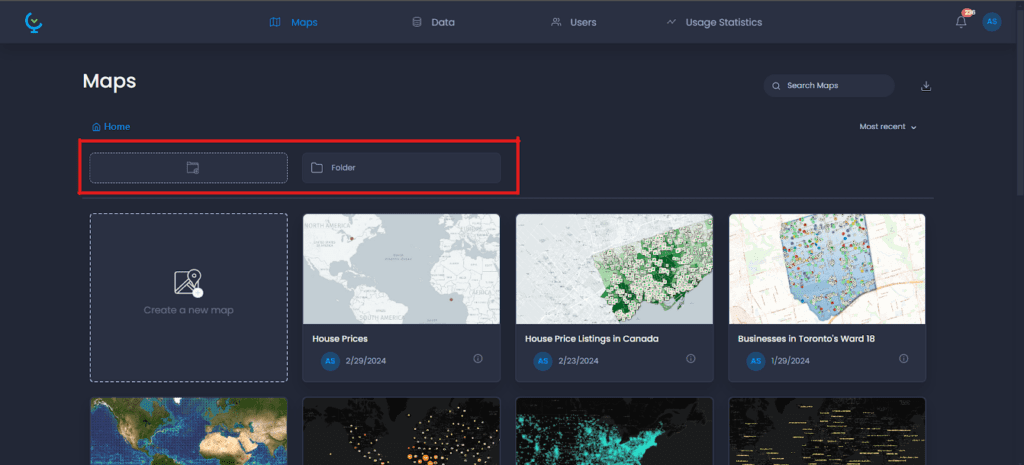
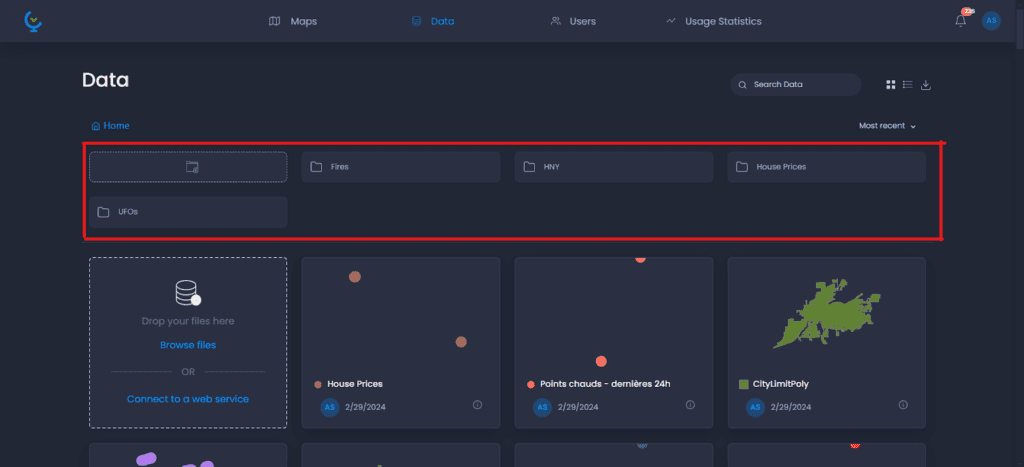
Folders are visible at the top of the mapping and data gallery
Manage folders
Folders in the mapping gallery:
Folders in the data gallery:
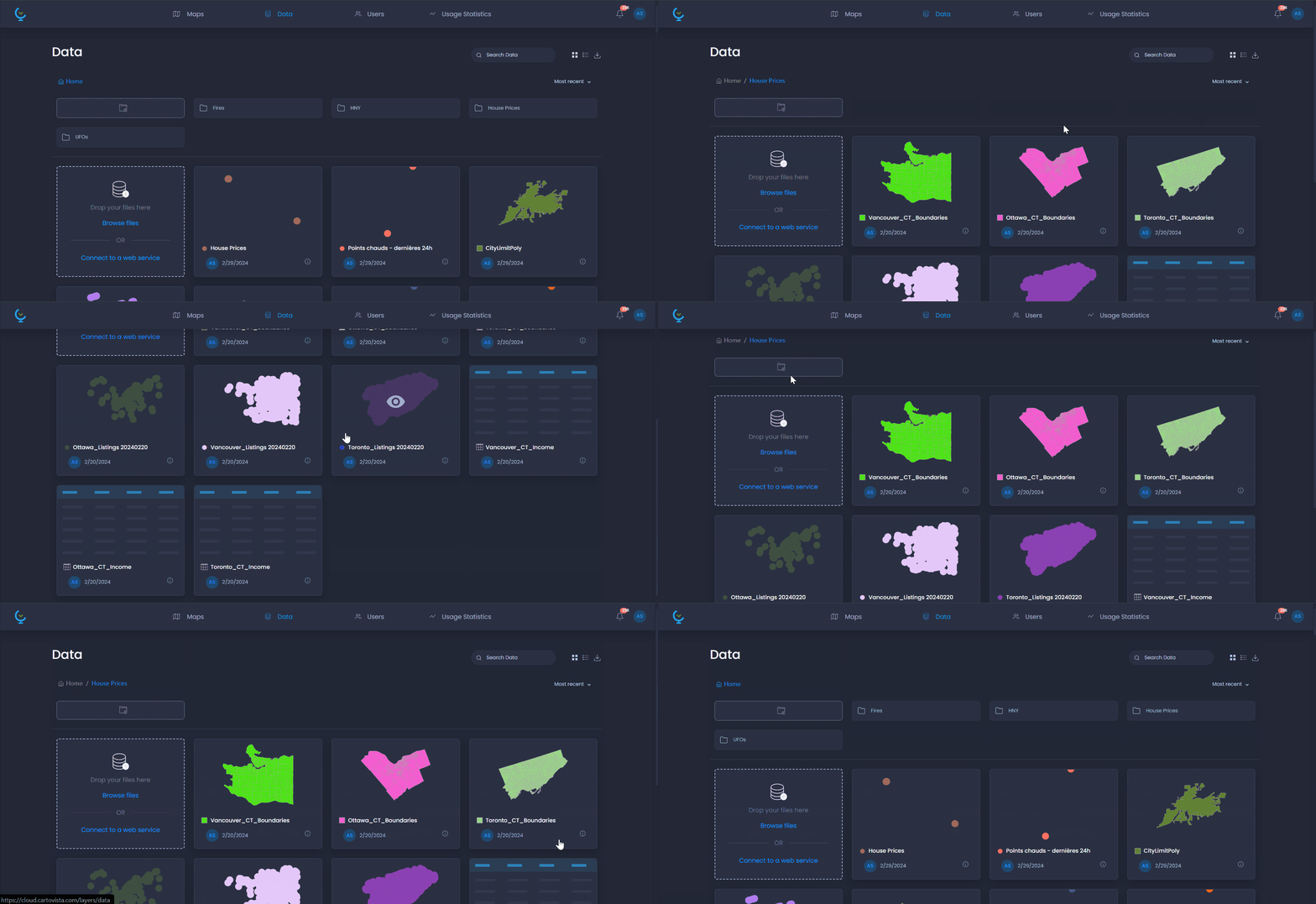
Inside a data folder:
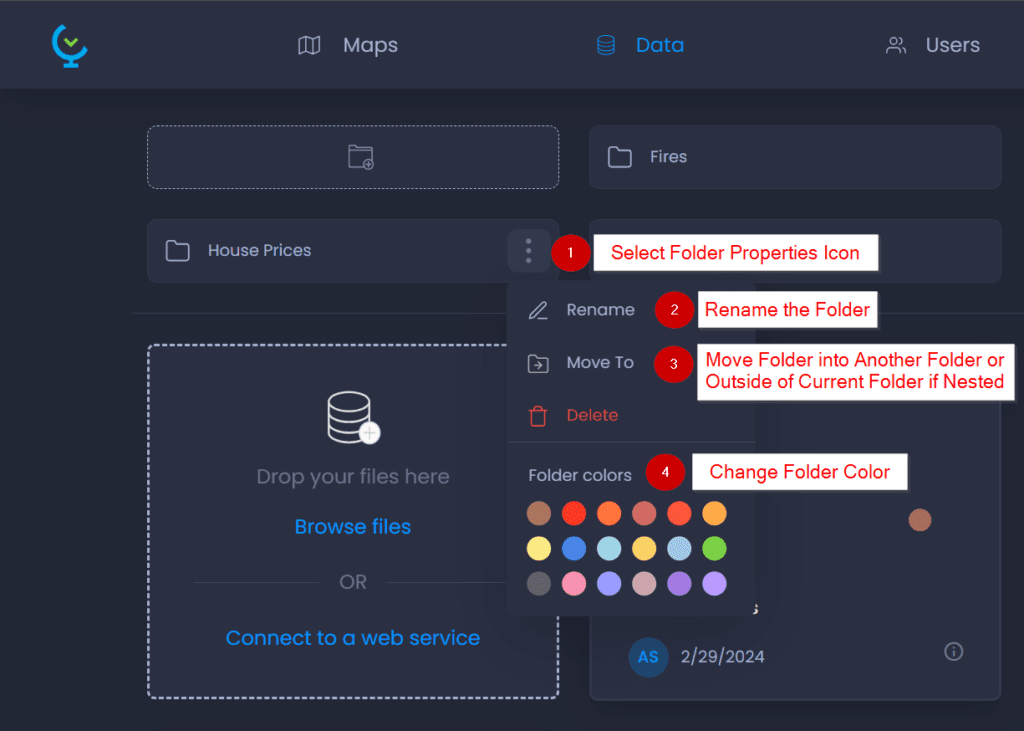
They can also be named and colored:
Manage data and maps in folders
Data or maps existing in the workspace can be moved to a folder:
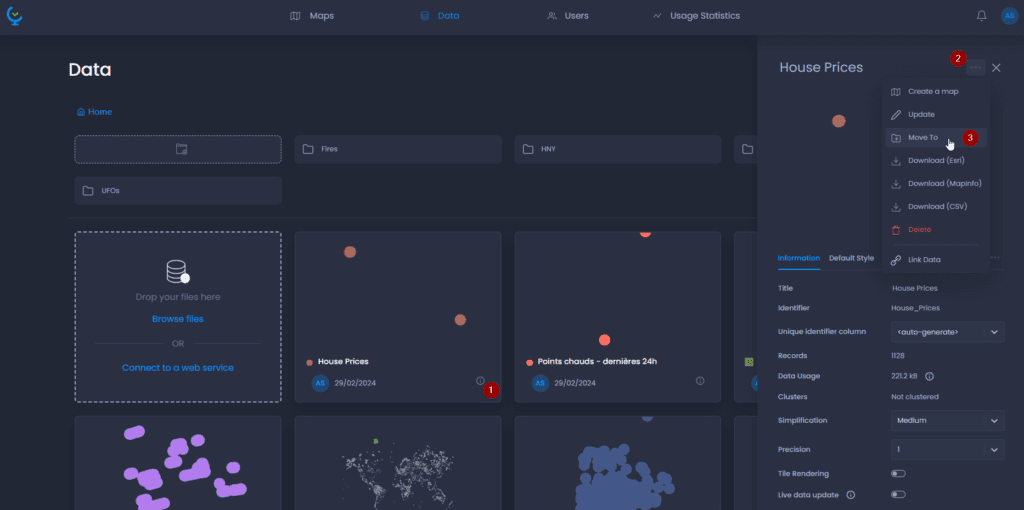
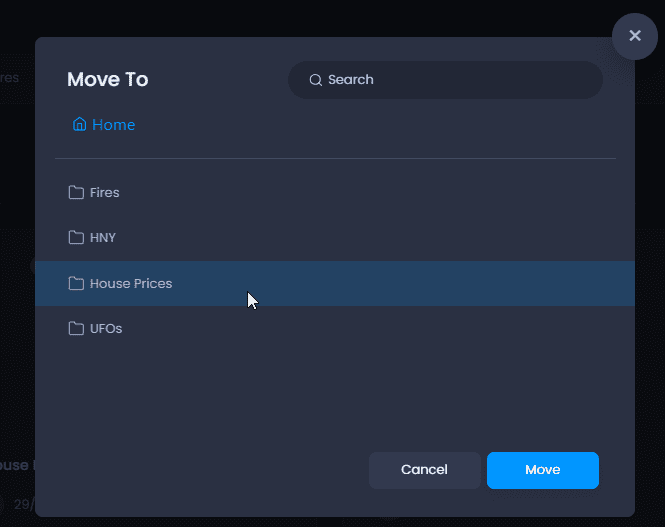
New data can be imported into the folder locally from the user’s device, or as a web service:
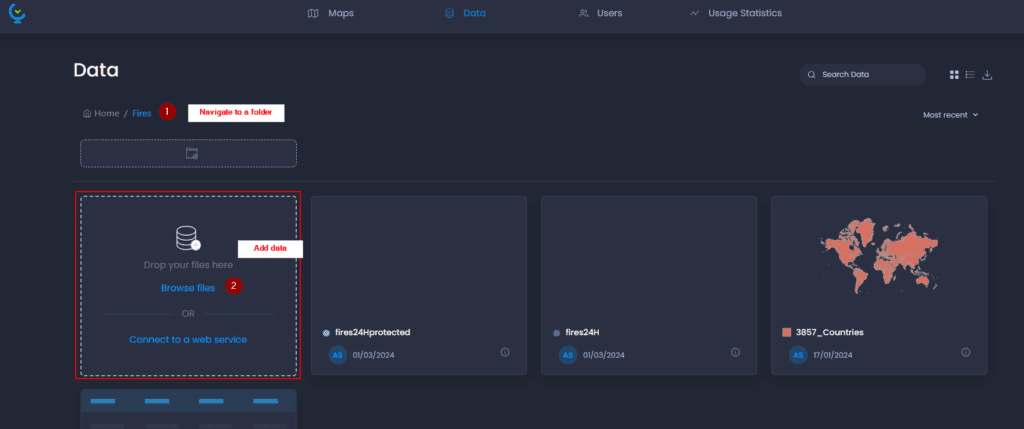
The same goes for maps: they can be created inside an existing folder.