


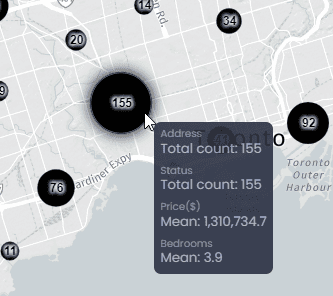
CartoVista allows point data layers to be clustered to better visualize cluttered points on the map. A cluster is a circular object labelled by the number of points in the cluster. The data tip of the cluster shows the count of each of the string data columns and an aggregation (sum, average, min or max) of the numerical data columns (see our dedicated article to set the aggregation method for your numeric columns).
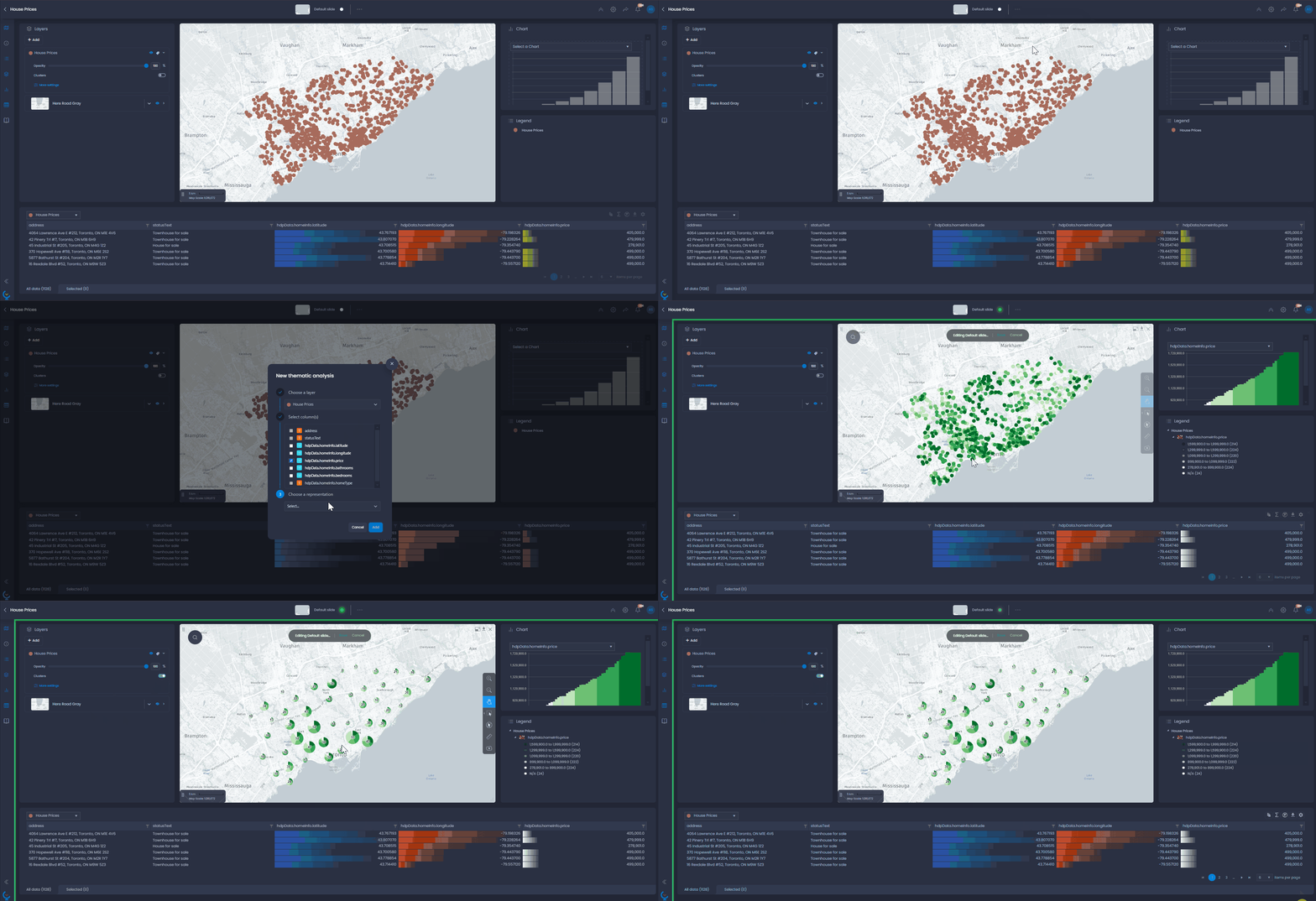
When a thematic analysis by color is performed on the point data, and layer clustering is enabled, the cluster circles will show a pie chart of the thematic analysis.
On-the-fly clusters for small point layers
Enabling clusters
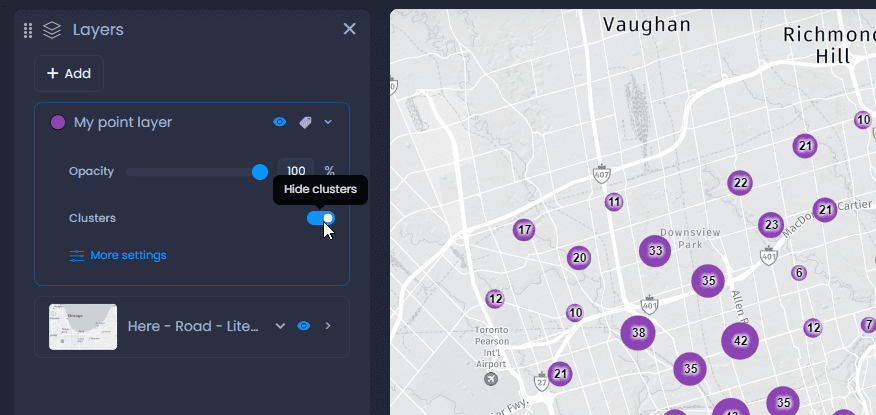
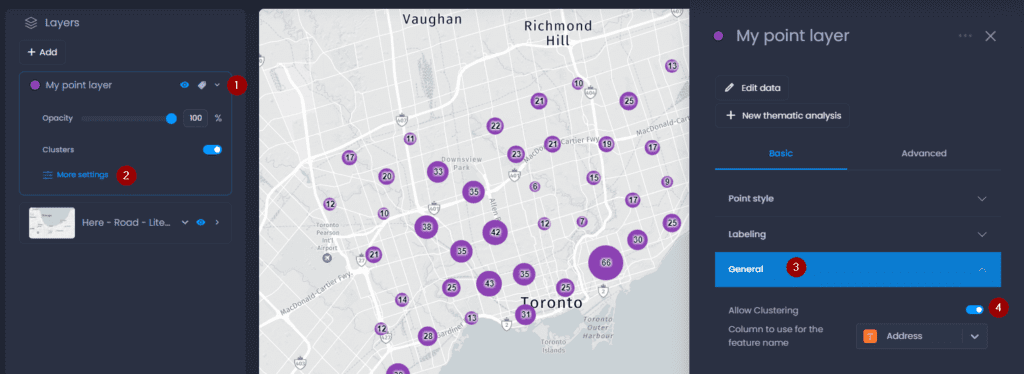
For small points layers, clusters can be generated on the fly and enabled from the layer control:
Clusters can be saved in the slide: enable clusters from the legend and enter save your slide.
Allowing clusters
By default, clusters are allowed for all point layers. The cluster toggle can be hidden from the layer control:
- Open the layer details
- Click on More settings
- In the General settings, use the Allow Clustering parameter to hide or show the cluster toggle in the layer control.
Generated clusters for large point layers
For large point layers, clusters can be pre-generated. Pre-generated clusters are designed to handle large amounts of data: to optimize the map navigation, clusters need to be refreshed in the map when zooming in or out.
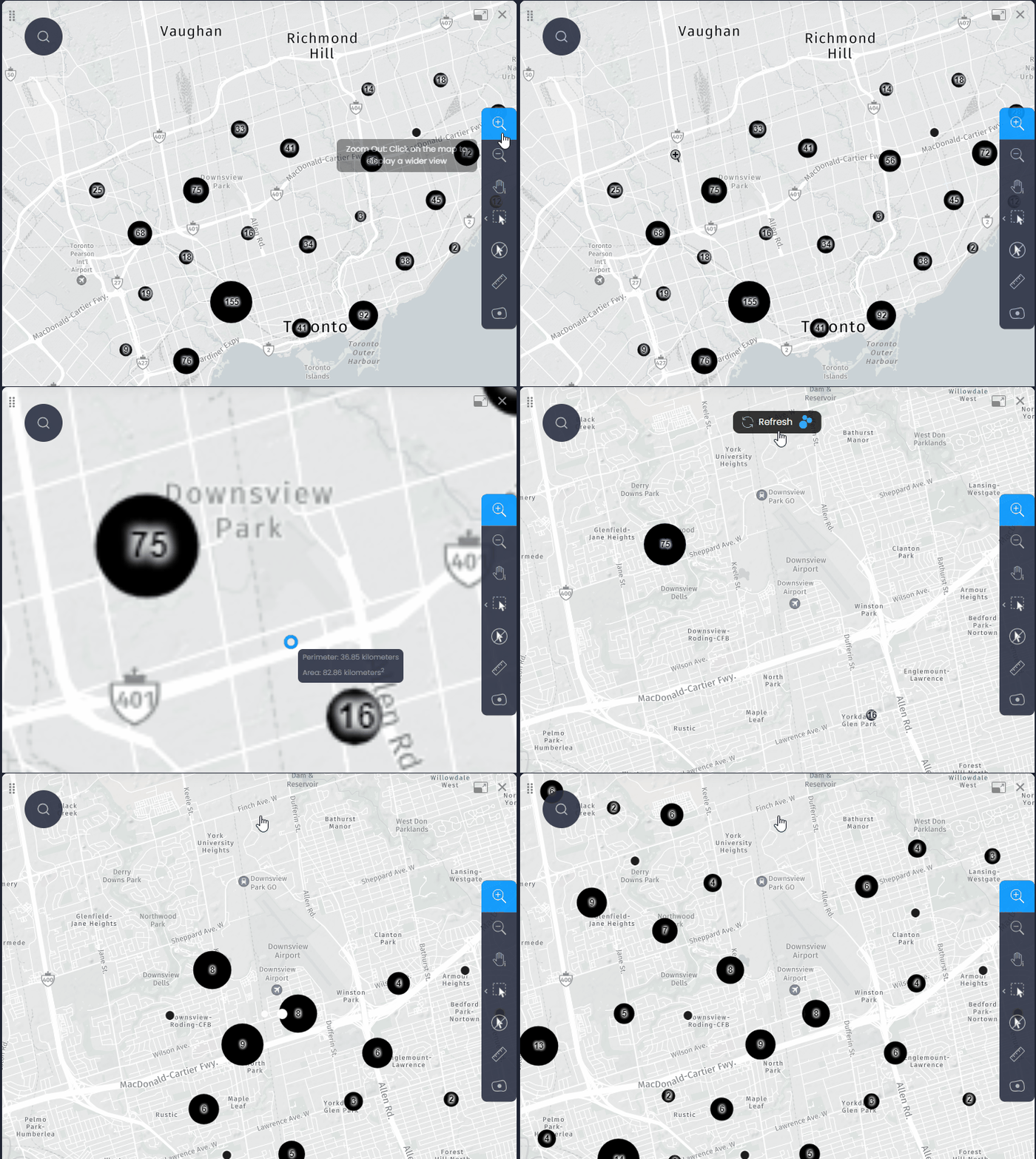
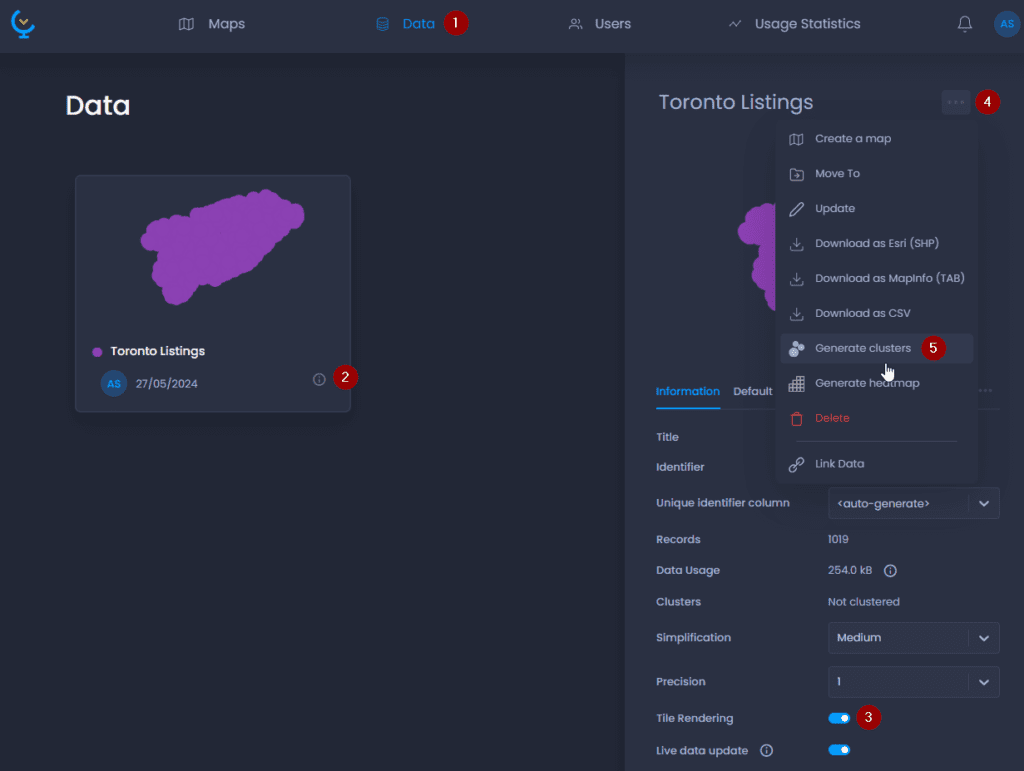
For layers with more than 20,000 points, clusters are pre-generated automatically. For other layers, you can generate them manually in the layers properties. Please note that Tile Rendering has to be enabled as well:
-
Navigate to your layer in the Data Gallery
-
Click on your layer name or

to open the layer details
-
Make sure Tile Rendering is enabled
-
Click on

to open the actions
-
Click “Generate clusters“.