



Before configuring custom views, it is necessary to understand the different roles and permissions associated with managing maps and data.
There are three roles:
- The Map Gallery User, who can only view maps and layer data
- The Map Creator, who can create, delete, and edit layers and maps
- The Administrator, who, in addition to the Map Creator role, can also change user roles, create groups, generate API keys, etc.
Layer views provide a more granular level of control by allowing access permissions based on attributes within a layer.
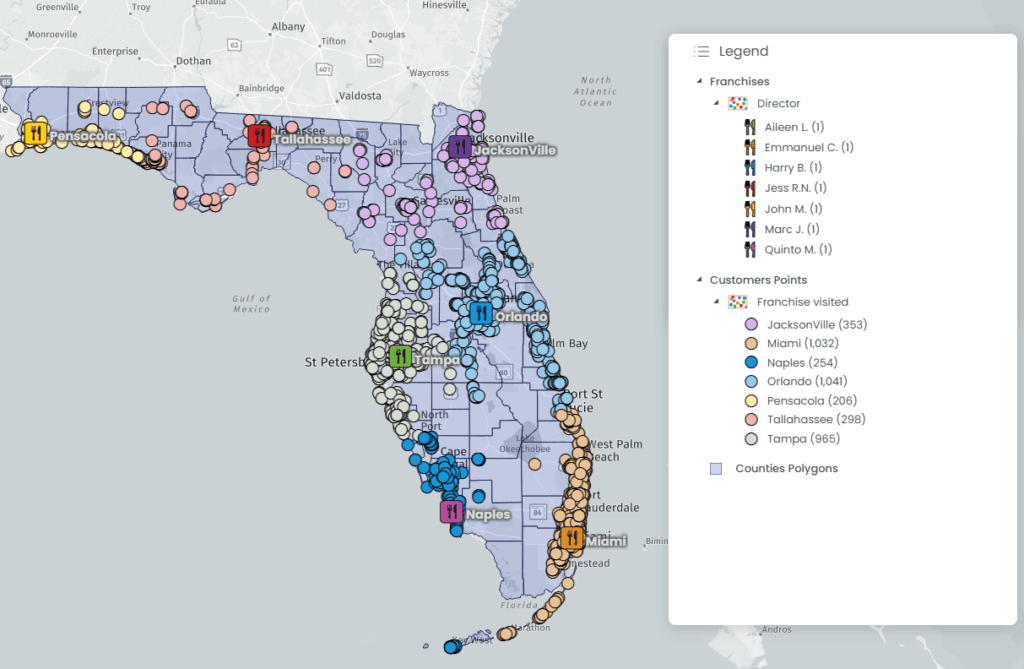
Let say an Administrator owns 7 restaurants in the Florida State, each of those restaurants has a Director. The administrator might want to allow the directors to access their data but not necessarily the data from other restaurants. This is what “granular”Custom views” allow.
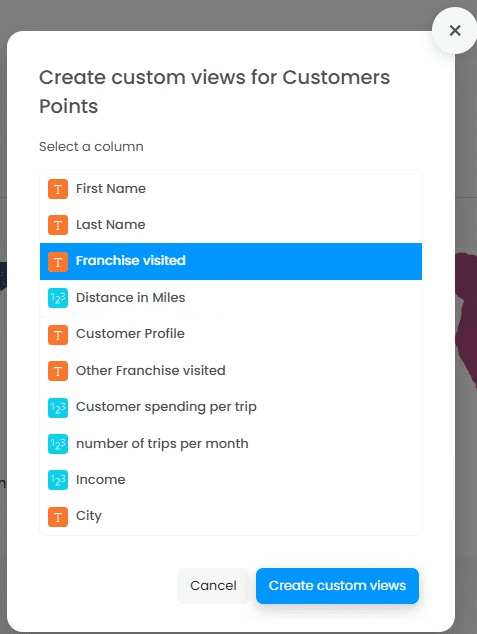
Custom views provide a more granular level of control by allowing access permissions based on attributes within a layer. In the example below, each customer has an attribute called “Franchise visited”, on which the view will be created.
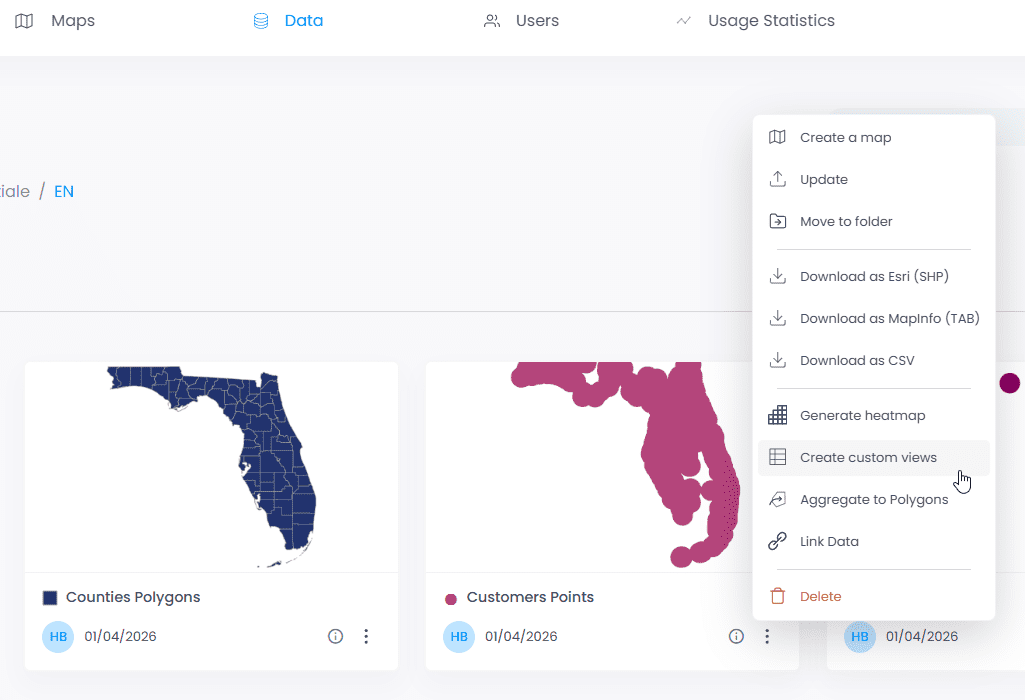
To create a view, click on the three dots of the data layer:
Next, choose the field on which to create views:
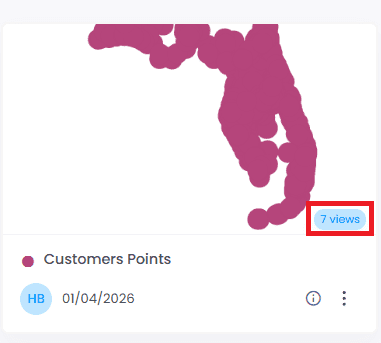
Once the views are created, the number of views appears in blue on the layer, click on the “views” to display the permissions associated to those views

To modify permissions and allow only the Jacksonville director to view their data, simply click the three dots under “Action.”
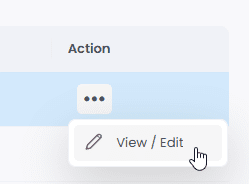
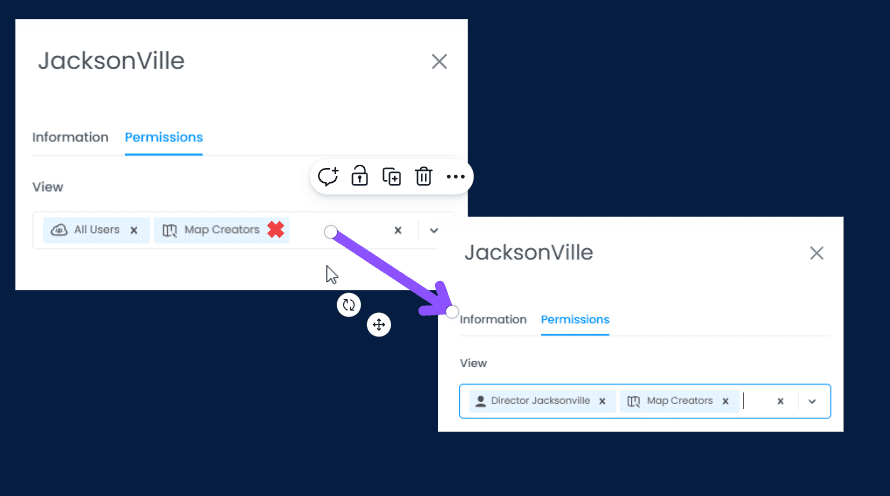
By default, all Map Gallery users (see definition above) can access the data. We want to change this setting so that access is restricted only to the Jacksonville director.
To do this, go to Permissions, remove the “All Users” role, and then add the “Jacksonville Director” role.
Important: Users must be created before assigning views. To create users, assign roles, or create groups, please follow the documentation here.
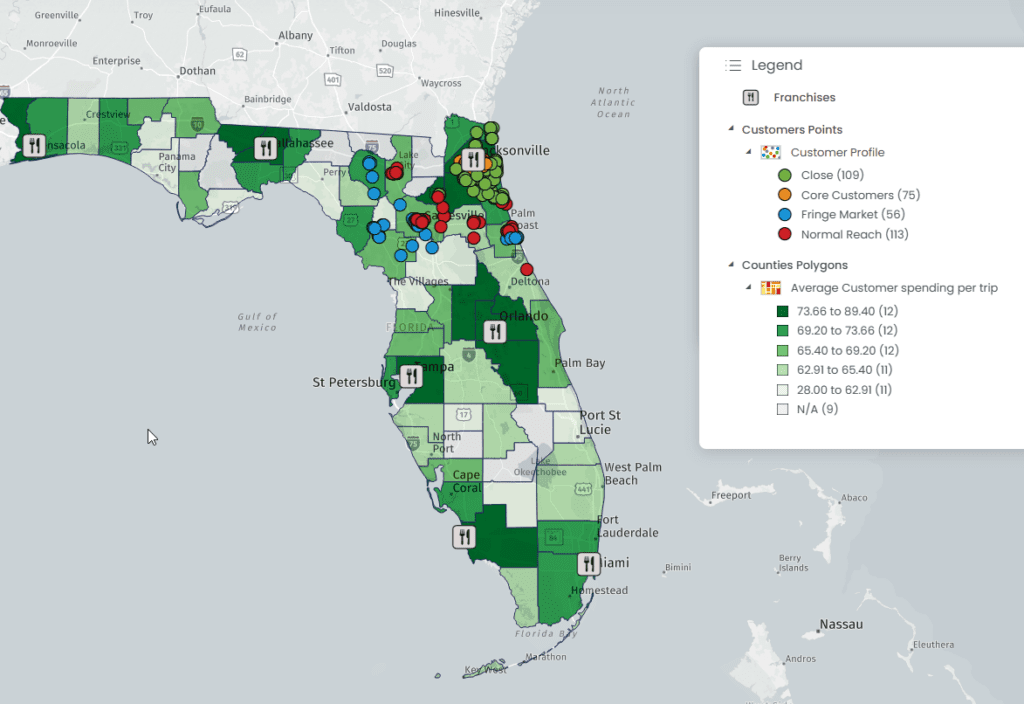
And that’s it! Only the Jacksonville director now has access to their customer’s data. Other map gallery users will not see the same data but only the one their administrator gave them access to.